Sakani
Redesign

V3 → V4PRODUCT DESIGN
UI/UX RedesignBranding

A platform for finding
a home. An experience
ready for change.

A new chapter for Sakani.

Revisiting Sakani’s mobile experience, visual language
and design system.

The mobile experience,
before V4.

Eight screens, with the key issues marked. Select a screen to inspect the full design.

Earlier exploration
12
  1. Open space separates the header from the content.
  2. Icon-only navigation with raised controls.
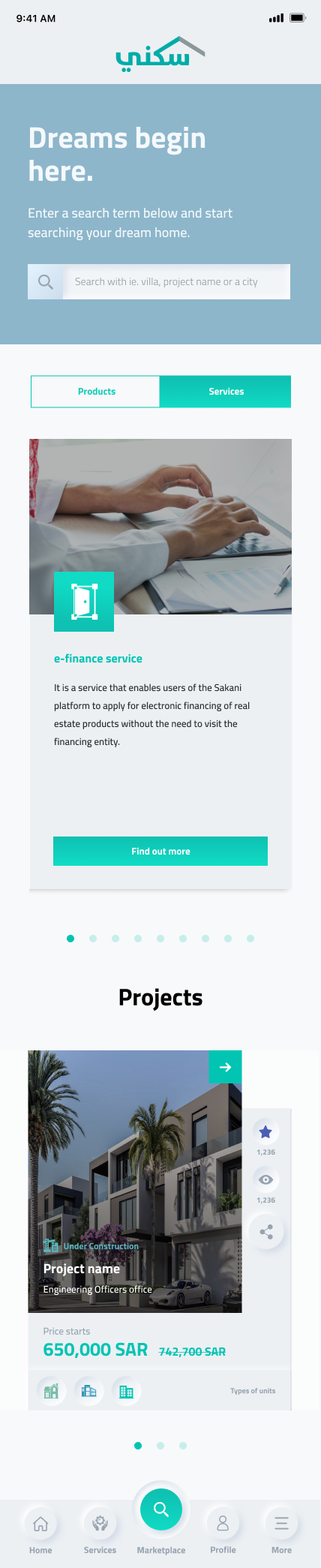
V3 / Landing
1234
  1. Large introduction before the service content.
  2. Several search examples inside one narrow field.
  3. Long service card before the project listing.
  4. Social actions compete with property information.
01 / Project overview
12
  1. Large project hero before the practical details.
  2. Facilities and specifications sit far down the page.
02 / Available units
12
  1. Large filter panel before the unit choices.
  2. Selection and booking action embedded in the unit list.
03 / Unit details
123
  1. Price in the summary: 243,428 SAR.
  2. A later price row shows 430,000 SAR.
  3. Reservation action at the end of the long screen.
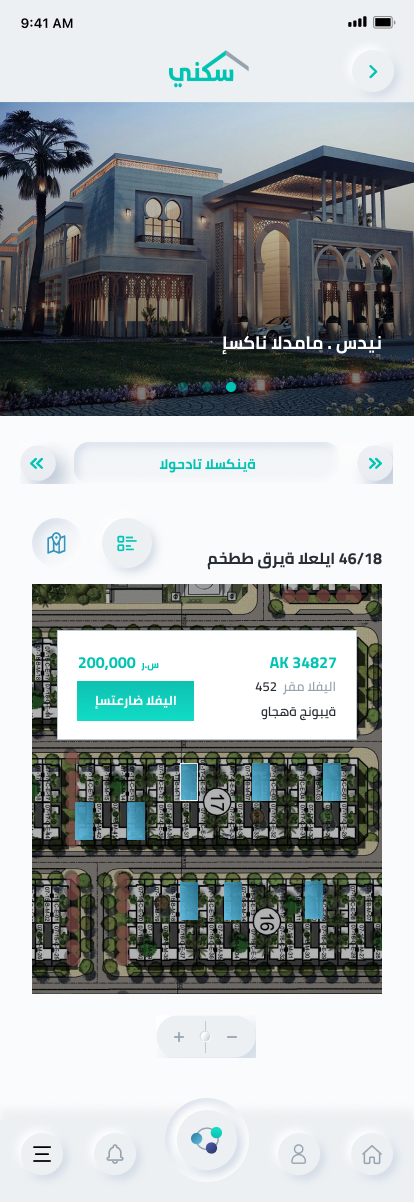
04 / Map selection
12
  1. Hero occupies space above the map-selection task.
  2. Selected-unit card overlays the map.
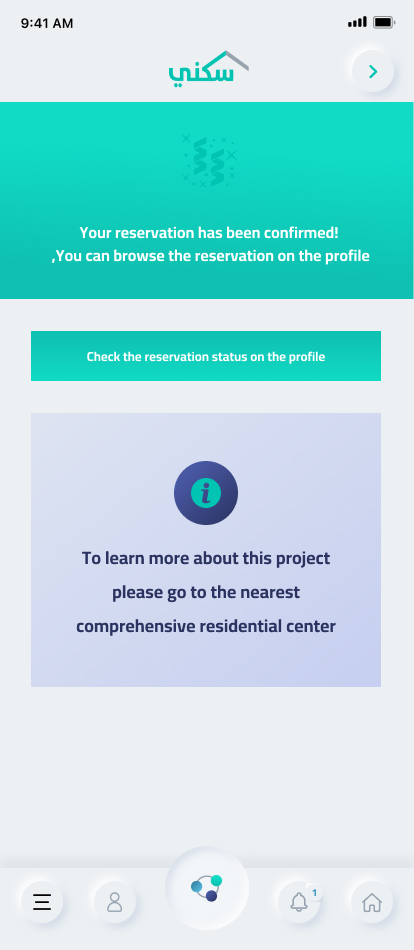
05 / Booking confirmation
12
  1. Confirmation gives no unit summary or reference.
  2. Large information panel redirects to an in-person center.
06 / Cancel booking
12
  1. Pale unselected labels and raised selectors.
  2. Primary action appears after the long reason list.

Four priorities for V4.

01 / DISCOVERY

Make services easy to find.

02 / COMPARISON

Put property facts first.

03 / NAVIGATION

Keep destinations consistent.

04 / PROGRESS

Make the next step clear.

Home seeker

Finding a home.
Planning the next step.

Exploring off-plan homes on Sakani, comparing available units and checking readiness to book.

Needs

Clear property facts, an understandable price and a visible path through eligibility, financing and reservation.

Decision point

A suitable unit is available. Can I afford it, am I eligible, and what do I need to complete before booking?

BEFORE BOOKING

Choose with enough context.

Compare location, area, price and availability without losing track of the selected project.

AFTER BOOKING

Know what happens next.

See the reservation status, find required actions and return to the booking from the profile.

Illustrative scenario based on the supplied Sakani screens and journey map.

Information
Architecture

The original off-plan journey, including eligibility, affordability and recovery paths. Select the map to zoom.

From the existing product
to a new visual language.

The V4 library brings colors, typography, icons and component states into one documented system.

Typography & color

A clear voice. A recognizable palette.

Bahij TheSansArabic

Plain × Bold

Aa
ABCDEFGHIJKLMNOPQRSTUVWXYZ
abcdefghijklmnopqrstuvwxyz
رحلتك إلى بيتك تبدأ هنا
12 px14 px16 px18 px24 px36 px
Turquoise#00ACA9
Navy#25316B
Grey Blue#8DB8CA
Grey Blue 10%#F4F8FA

Iconography

Original vector icons from the V4 library.

user icon from V4
user
map pin icon from V4
map pin
menu icon from V4
menu
marketplace icon from V4
marketplace
warning icon from V4
warning
external link icon from V4
external link
download icon from V4
download
upload icon from V4
upload
edit icon from V4
edit
lock icon from V4
lock
up icon from V4
up
down icon from V4
down
right icon from V4
right
left icon from V4
left
tick icon from V4
tick
cross icon from V4
cross
sakani icon icon from V4
sakani icon
star icon from V4
star
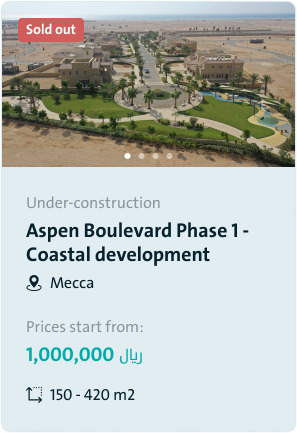
V4 components · Inputs, search, navigation and property cards
01 / Discover

Discover a home

Browse available homes and explore their location.

Marketplace
Explore the map
02 / Compare

Find the right fit

Explore the project and review the details of each unit.

Project overview
Unit details
03 / Book

Book with confidence

Review the requirements, check the summary and confirm your reservation.

Booking requirements
Booking fees
Reservation summary
Booking confirmation
04 / Manage

Keep everything in view

Manage your account, activities, finances and booking.
Your account
Your activities
Financial overview
Continue your booking

Before & After